If a price looks wrong, run change history can show the value before and after the import. This feature is available only on Scale, including Scale trials. Free, Pro and legacy Gold do not include it.
Open the history for one run
- Open Simple CSV from Shopify Admin.
- Open the import run’s Run status page.
- Inside the Your import card, select View run change history to the right of the heading. The link appears for live runs on Scale, never for dry runs.
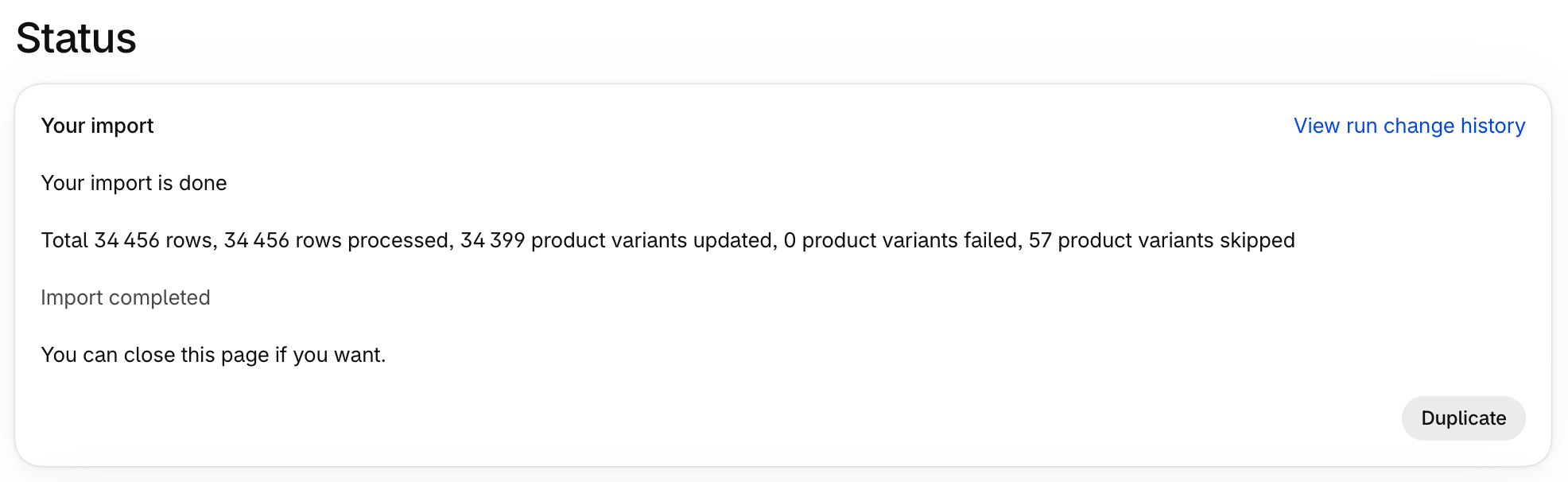
Changes can take up to about a minute to appear after a run. If a recent change is missing, wait briefly and check again.
The history belongs to that run. It covers one-off Import and Update runs, scheduled URL runs and changes made by AI Rewrite. Scheduling requires Pro or Scale, but viewing run change history requires Scale.
Read the changed fields
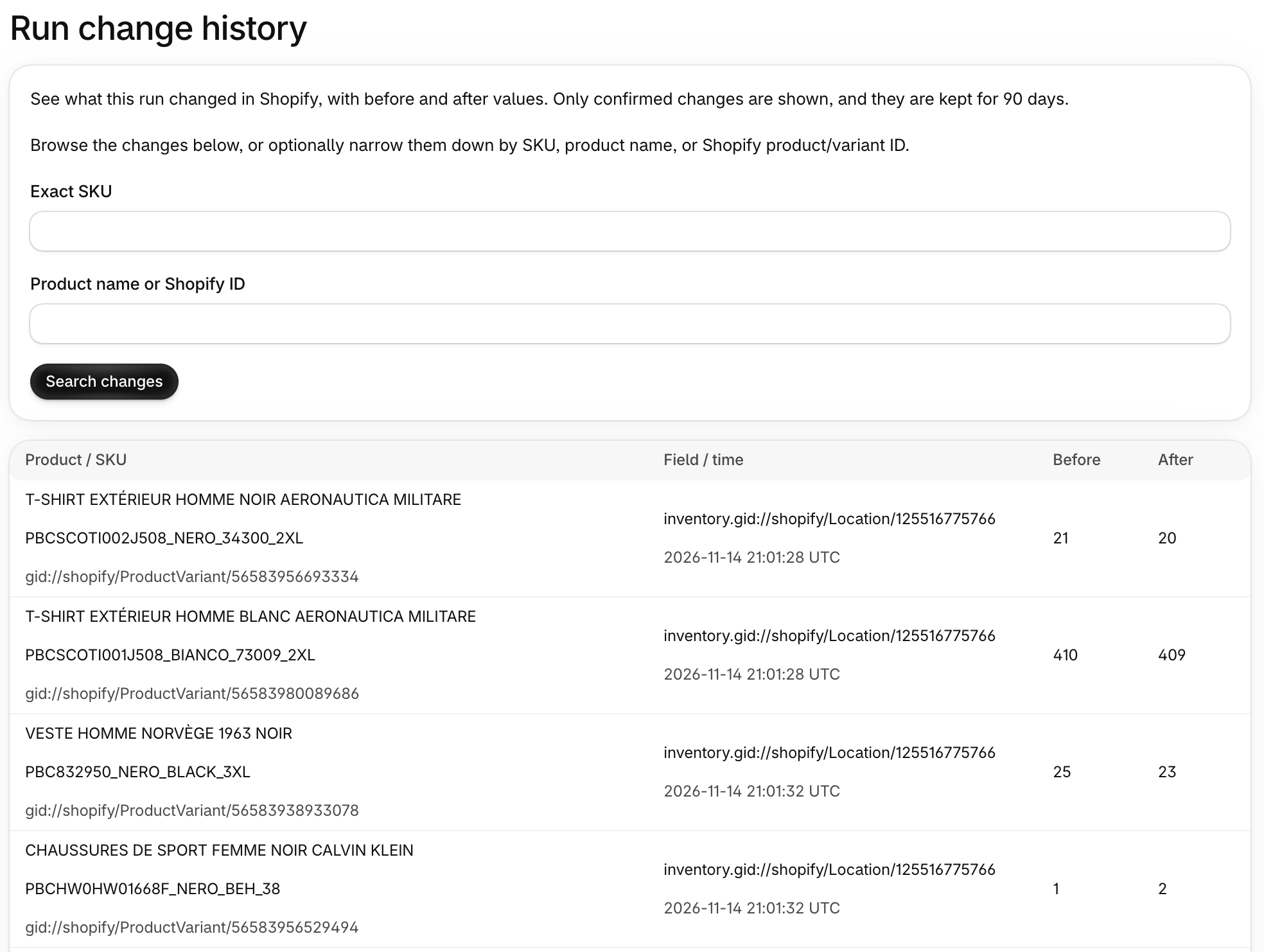
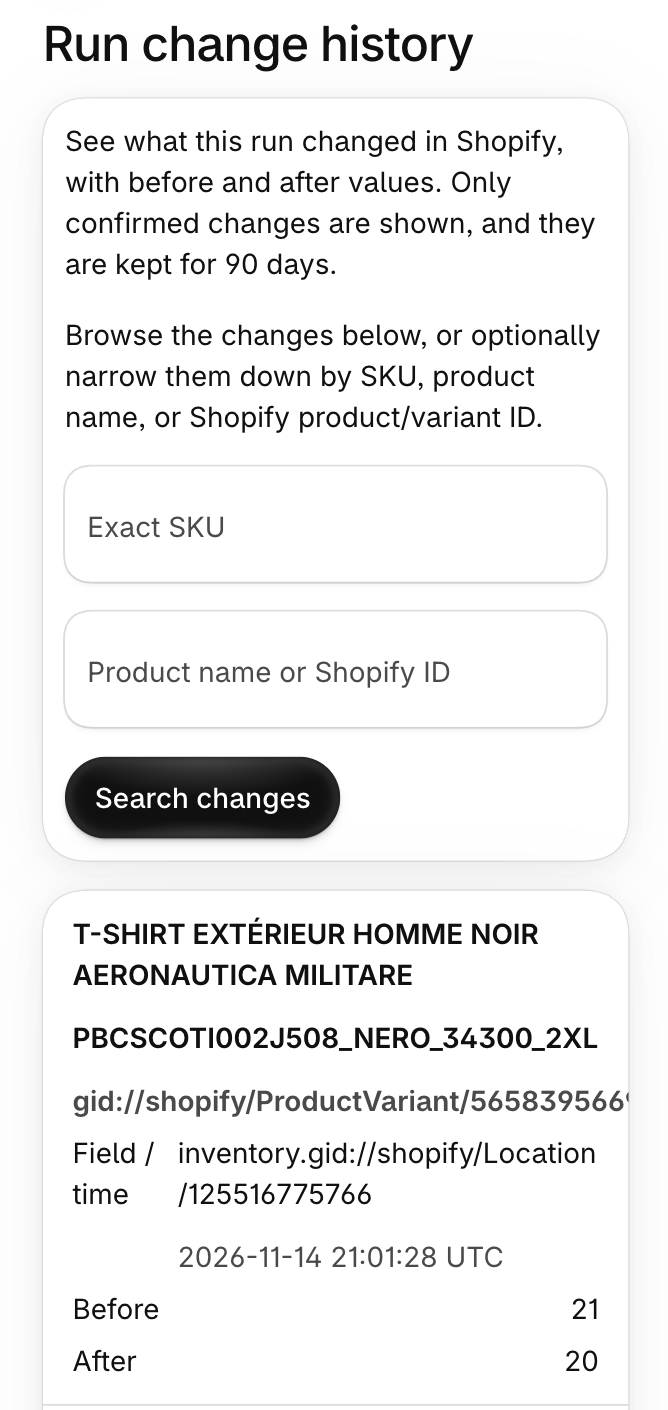
Only confirmed changes are shown. Values that stayed the same are not listed. Each entry identifies the product, variant, SKU and changed field, with its value before and after the change in Shopify.
History covers prices, inventory at each location updated by the import, SKUs and product text, including descriptions. New products and variants have an empty before value. AI Rewrite changes are labeled AI.
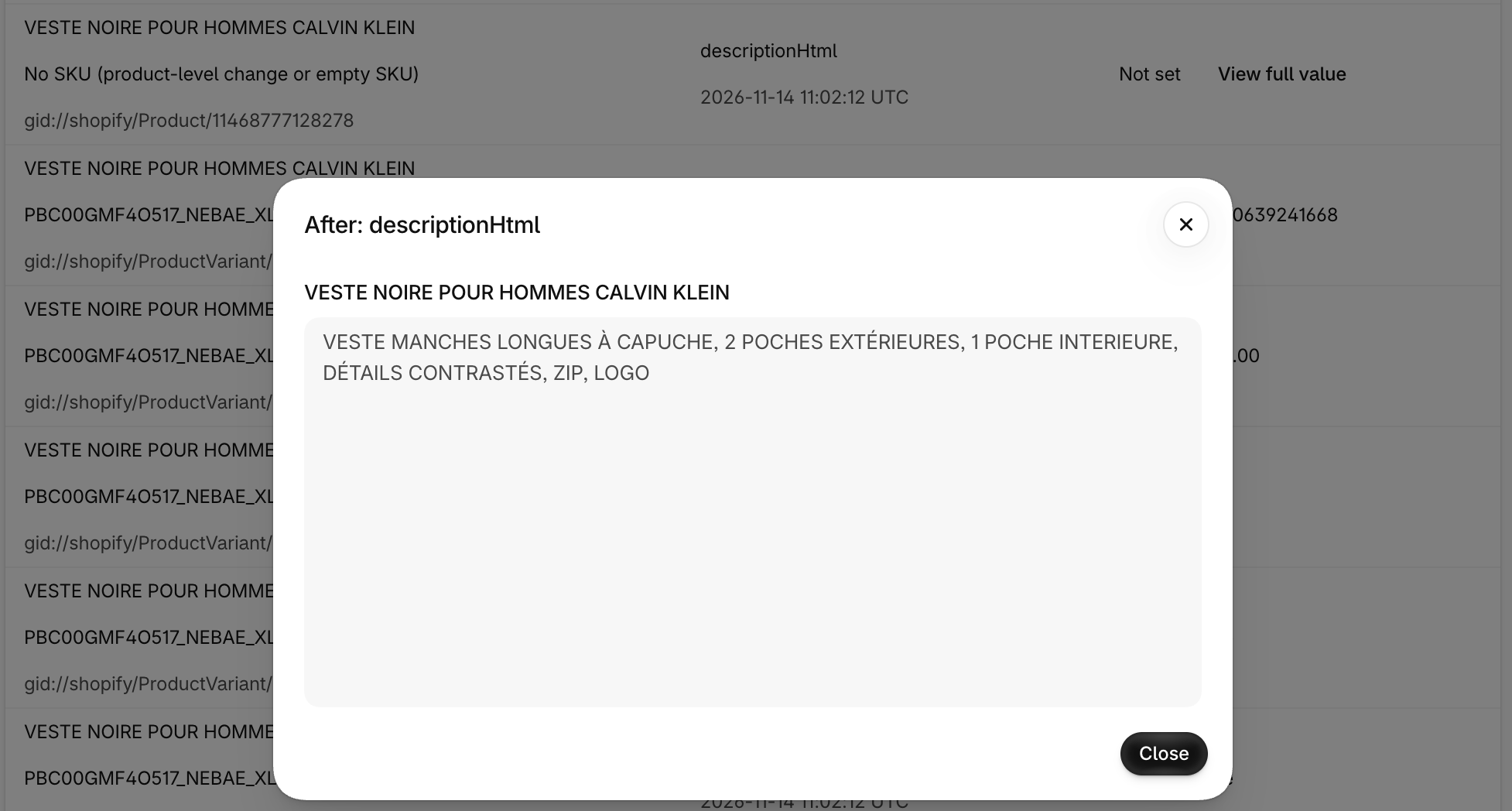
Select View full value beside a long value, such as a description, to read it in full.
Only actual changes are recorded. A row that changes nothing adds no entries. A scheduled run that skips an unchanged file also makes no Shopify changes to record. See why a scheduled import can complete with zero counters.
Browse or search within one run
You can browse changes without entering a search or knowing a SKU. Use Next page to see more changes and First page to return to the start.
Searching is optional. Narrow the changes within one run by exact SKU, product name or Shopify product or variant ID. A Shopify ID identifies a specific product or variant in Shopify.
For example, search for TEE-S-BLU to find that SKU’s changes. If an import changes the SKU, both the old and new SKU find the change.
The search covers the selected run. There is no timeline that combines one product’s changes across different runs.
If history cannot load
If the page shows Change history could not be loaded, select Try again. Select View run status to return to the run. This loading error is separate from notices about the run or its recorded history.
Separate notices explain when the run is still processing, history may be incomplete, history was not recorded, the run is older than 90 days or a search has no matches. No search matches does not mean the run made no changes.
When history may be incomplete
If Simple CSV cannot confirm some changes, the page warns that history may be incomplete. Do not treat that view as a complete list of everything the run changed.
Read the import log and check the affected products in Shopify. If you need help, contact us with the run and affected SKU.
The 90-day limit and runs without history
History is kept for 90 days, then deleted automatically. Runs from before the feature was enabled cannot be reconstructed.
Previews and dry runs record no history because they do not change Shopify. Run first 100 rows does make real changes. On Scale, those changes can appear in the run’s history. Read how a limited live run works.
History cannot undo an import
Run change history lets you inspect changes. It does not provide undo or rollback, CSV export of the history or change limits that stop a run.
Keep a backup before a large update. Checking history afterward does not replace checking your mapping and preview before the import.